Whisperai

Voice tutorial

How to use whisper from audio to text

How to use whisper becomes straightforward when you prepare clean audio, choose the right recognition mode, and review the transcript before sharing it. Follow this workflow for dependable results.

Free to start · no signup
A guided workflow for using Whisper to turn spoken audio into text

Before you begin

Prerequisites

A few decisions made before processing save more time than repeated corrections later. Prepare the source, define the output, and keep the first pass focused.

The core process

Numbered steps

Use this sequence for a first pass, then repeat only the step that needs correction rather than processing everything again.

  1. 1

    Prepare the recording

    Choose the clearest available audio or video file. Trim long silence, reduce obvious background noise, and keep the original file as a reference. If several people speak, note their names and the expected language before you begin.

  2. 2

    Set the recognition task

    Select the spoken language when you know it instead of relying entirely on detection. Choose transcription for same-language text or translation when the output should be English. Add a short instruction for formatting, timestamps, or speaker labels.

  3. 3

    Review and export

    Read the transcript against the recording, especially names, numbers, acronyms, and overlapping speech. Correct obvious recognition errors, preserve uncertain passages for a second listen, then export the text in the format your next tool or document needs.

Useful reference points

Numbered steps

These facts help you choose a sensible first configuration without treating model size or language coverage as a guarantee of perfect output.

Whisper was trained for multilingual speech recognition.
99 languages
The original model family ranges from tiny through large.
5 core sizes
Use Whisper for transcription or speech translation.
2 main tasks

Choose the right path

Common errors and fixes

The best setup depends on whether you want a quick result or control over the files, model, and processing environment.

Browser handoff
Local setup

Best for

Browser handoff

A quick transcript without installing tools

Local setup

Repeatable processing and technical control

First action

Browser handoff

Describe the audio task and provide the source

Local setup

Install a Whisper-compatible package and dependencies

Language choice

Browser handoff

State the language in the task instructions

Local setup

Pass the language setting in the command or code

Output review

Browser handoff

Read the returned transcript and correct key passages

Local setup

Build review and export into your own workflow

Model control

Browser handoff

Usually handled by the connected service

Local setup

Choose the model size and runtime yourself

Privacy decision

Browser handoff

Confirm where the uploaded audio is processed

Local setup

Keep processing in an environment you control

Setup effort

Browser handoff

Low: begin with a prompt and source file

Local setup

Higher: configure software, hardware, and storage

Know the limits

Common errors and fixes

Whisper can produce a strong first draft, but it cannot recover information that the recording does not contain or reliably infer every ambiguous detail.

It cannot hear missing speech

Clipped audio, heavy distortion, loud music, and long dropouts leave the recognizer with too little signal. The transcript may fill gaps with plausible but incorrect words.

Workaround

Use the cleanest source, repair the recording where possible, and mark unrecoverable sections instead of treating guesses as facts.

It may confuse speakers

Basic transcription does not automatically make every speaker label correct, especially when voices overlap or sound similar.

Workaround

Separate channels when available, identify speakers during review, and use a diarization step when speaker attribution is essential.

Names and numbers need checking

Rare names, product codes, addresses, dates, and long numeric strings are common sources of subtle errors even when the surrounding sentence looks fluent.

Workaround

Compare these details with the recording, a supplied glossary, or a trusted source before publishing.

Translation is not editorial localization

Speech translation can convey meaning while missing tone, cultural nuance, formatting conventions, or terminology your audience expects.

Workaround

Have a fluent reviewer edit the translated text when the result is public, legal, medical, or customer-facing.

Improve the second pass

Advanced tips

Turn a first transcript into a dependable draft

Once the basic workflow works, small changes to instructions and review order can make the final transcript more consistent without overcomplicating the process.

Give the task a narrow purpose instead of asking for everything at once. Tell Whisper the expected language, whether you want paragraphs or timestamps, and which terms must remain unchanged. For interviews, provide a short list of names and specialist vocabulary; for meetings, ask for action items only after the raw transcript has been checked. Keep the original audio beside the text so corrections are traceable. When a recording is long, process it in logical segments with a little context at each boundary, then inspect the joins for repeated or missing words. Use a smaller model when speed or local resource limits matter, and a larger model when difficult accents, noisy rooms, or mixed-language speech justify a slower pass. Do not judge quality by fluent sentences alone: verify facts, numbers, names, and every passage that affects a decision.

Try guided transcription
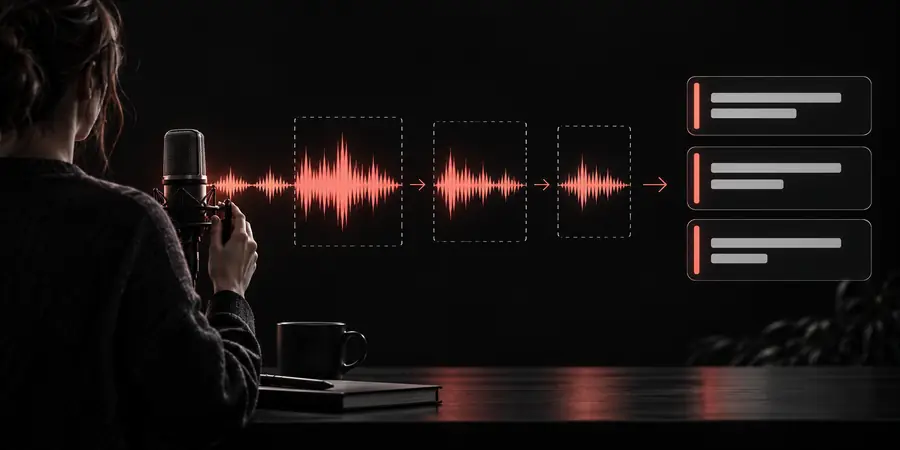
  • State the language and desired output before processing.
  • Keep a glossary for names, acronyms, and domain terms.
  • Review high-consequence details against the recording.
  • Retain the source audio with the edited transcript.

Quick answers

Tutorial FAQ

These answers cover the choices people usually face when learning how to use Whisper for a first transcription.

Begin with a clear audio or video file and identify the spoken language. Choose transcription for same-language text, give a short formatting instruction, and review the result against the recording before exporting it.

Yes. A browser-based interface or guided handoff can handle the setup while you provide the source and describe the desired output. Local coding is useful when you need repeatable batch processing, model control, or a custom integration.

Use the clearest recording available, with speech louder than background noise and minimal clipping. Clean audio improves recognition, but it does not remove the need to check names, numbers, overlapping voices, and unclear passages.

State the language, reduce avoidable noise, and include a glossary for unusual terms or names. Review the transcript in the recording, then correct high-impact errors before using the text in notes, captions, or published content.

Whisper supports speech translation as well as transcription, with English as the translation destination in its original task design. Treat the output as a draft when tone, terminology, or cultural nuance matters, and have a fluent person review it.

Start transcribing
Start transcribing