Whisperai

Comparison guide

what are the key differences between whisper and whisperx in practice?

The answer depends on whether you need dependable transcription or a richer post-processing workflow. This guide compares Whisper and WhisperX across alignment, timestamps, speaker labels, setup effort, and everyday use.

5
Original Whisper model sizes
30 sec
Typical audio window used by Whisper
99
Languages supported by the original model
Abstract audio waveform representing speech transcription

Three real scenarios, one pick each

The right choice is less about a universal winner and more about the output your next task actually needs.

Capability matrix

Whisper and WhisperX share a transcription foundation, but they solve different layers of the audio workflow.

Whisper does not guarantee word-level timing

Base Whisper output commonly gives segment-level timestamps, which can be too broad for subtitles, karaoke-style highlighting, or precise editing.

Workaround

Use WhisperX alignment when individual words must map closely to the audio.
WhisperX does not remove noisy-audio problems

Alignment can refine timing only after the speech has been recognized. Crosstalk, music, clipping, and heavy accents can still produce incorrect words.

Workaround

Clean the recording, separate speakers where possible, and review low-confidence passages.

Neither tool automatically knows every speaker

Speaker diarization is an additional stage, not a magic property of transcription. Overlapping voices and short turns can confuse speaker assignment.

Workaround

Treat diarization as an editable draft and verify names against the recording.

A browser workflow is not the same as local inference

Running a model locally requires suitable hardware, dependencies, storage, and time for setup. A web interface hides much of that work but gives you less control.

Workaround

Choose the surface that matches the job: local processing for control, a guided workflow for quick results.

Shared pitfalls

Both workflows become easier to judge when you separate recognition, alignment, and interpretation instead of treating one transcript as final truth.

  1. 1

    Transcribe the recording

    Start with the audio and produce a draft transcript. Whisper is strong at turning speech into text, but punctuation, names, numbers, and noisy passages still deserve review.

  2. 2

    Align the recognized words

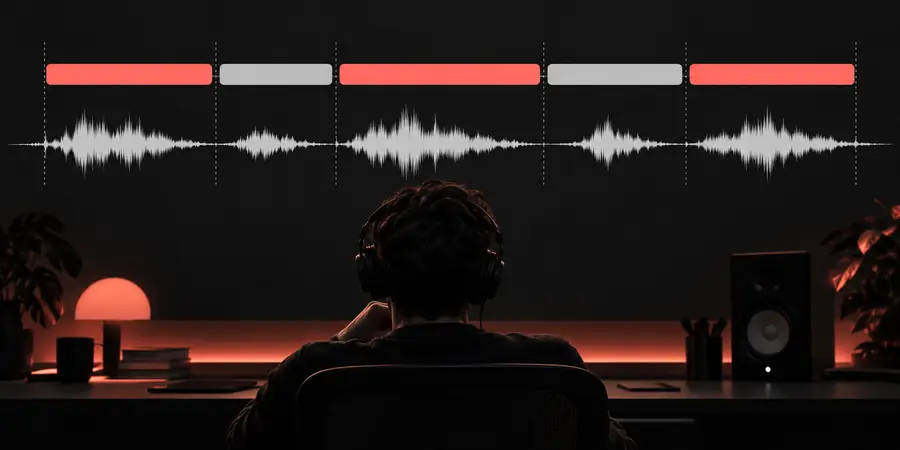
    If timing matters, pass the transcript through an alignment stage. WhisperX uses forced alignment to place words more precisely against the waveform.

  3. 3

    Review speakers and export

    Apply diarization only when speaker identity matters, then check the transcript before exporting captions, notes, quotes, or searchable text.

Our tradeoff

These figures describe the shape of the decision, not a promise that one pipeline will win on every recording.

Whisper's original model family, from tiny through large
5 sizes
Approximate audio context used by the original Whisper approach
30 seconds
Languages reported for the original multilingual Whisper model
99 languages
A common WhisperX workflow: recognition followed by alignment
2 stages
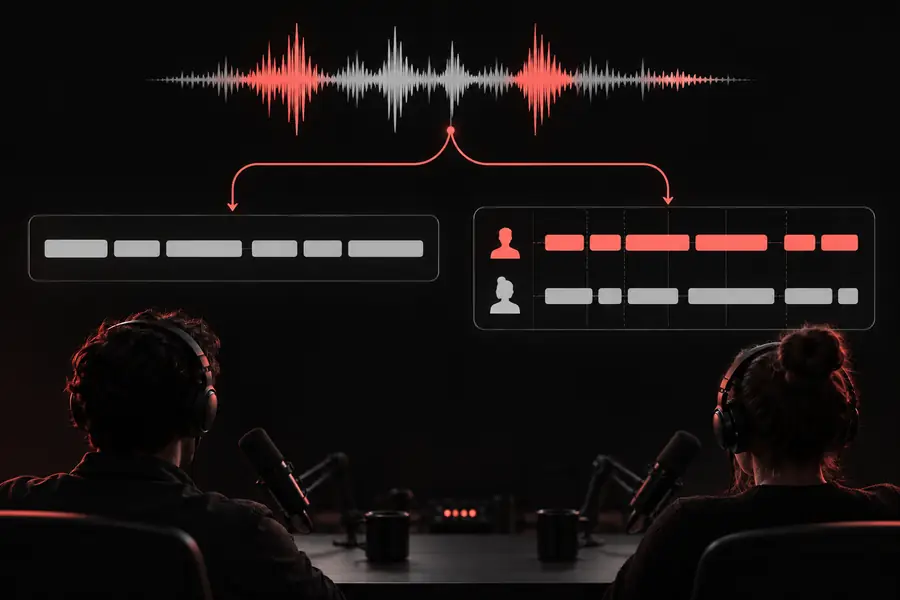
Transcript comparison showing broad segment timing Segment transcript
Transcript comparison showing more precise word timing Aligned transcript
The visible difference is timing precision, not a guarantee of perfect words.

Where each workflow earns its place

Choose by the output you need to hand off, edit, or publish—not by the tool name alone.

Podcast editor

You need a readable transcript and searchable quotes from a clean, mostly single-speaker recording.

Start with Whisper for a simpler pipeline, then spend review time on names, punctuation, and quote accuracy.

whisper vs transcribe

Caption producer

You need words to appear close to their spoken timing for subtitles or timed clips.

Use Whisper for recognition and add WhisperX-style alignment before polishing the caption file.

whisper vs deepgram

Research team

You are processing interviews locally and want control over files, models, and repeatable scripts.

Whisper is a practical foundation; add alignment and diarization only where the research output needs them.

whisper alternatives open source

Meeting-note workflow

You want a quick draft with speaker turns, but the room contains interruptions and overlapping voices.

Neither result should be accepted without review; use the richer pipeline only if speaker separation justifies the extra complexity.

whisper vs deepgram

Pick the output before you pick the stack

Use Whisper when accurate draft text and a manageable local workflow are the priority. Add WhisperX when word-level timing, speaker-aware review, or caption alignment is worth the extra processing and verification.

Try Whisper online
  • Draft text first, timing second
  • Review names, numbers, and speaker turns
  • Keep a clean source recording

Comparison FAQ

The short answers below clarify where the two names overlap and where their workflows diverge.

Whisper is the speech recognition model and produces the initial transcript. WhisperX builds on that kind of transcription with additional processing for more precise word-level timestamps and, in some workflows, speaker diarization.

Not in the simplest sense. WhisperX is best understood as a workflow and toolset that commonly uses Whisper for recognition, then adds alignment and optional speaker-processing stages.

Whisper can create a useful subtitle draft, especially when broad segment timing is acceptable. WhisperX is usually the better fit when captions need tighter word timing, but the result still needs checks for recognition errors and speaker overlap.

Its main advantage is timing alignment rather than automatically correcting every recognized word. It may make the transcript easier to synchronize and edit, while the underlying audio quality and recognition pass still strongly influence word accuracy.

Usually not. If you need readable text, notes, search, or rough quotes, a Whisper transcript may be enough; choose the added workflow when alignment, diarization, or finely timed captions is central to the deliverable.

Start transcribing
Start transcribing